Free for Chrome · realestate.com.au & Domain
Know what a home is really worth — before you make an offer.
Open any home on realestate.com.au or Domain and a panel pops up beside it: what it's likely worth, what it sold for before, and anything to watch out for, like flooding or heritage rules. No spreadsheets. No jargon. Just the answers.
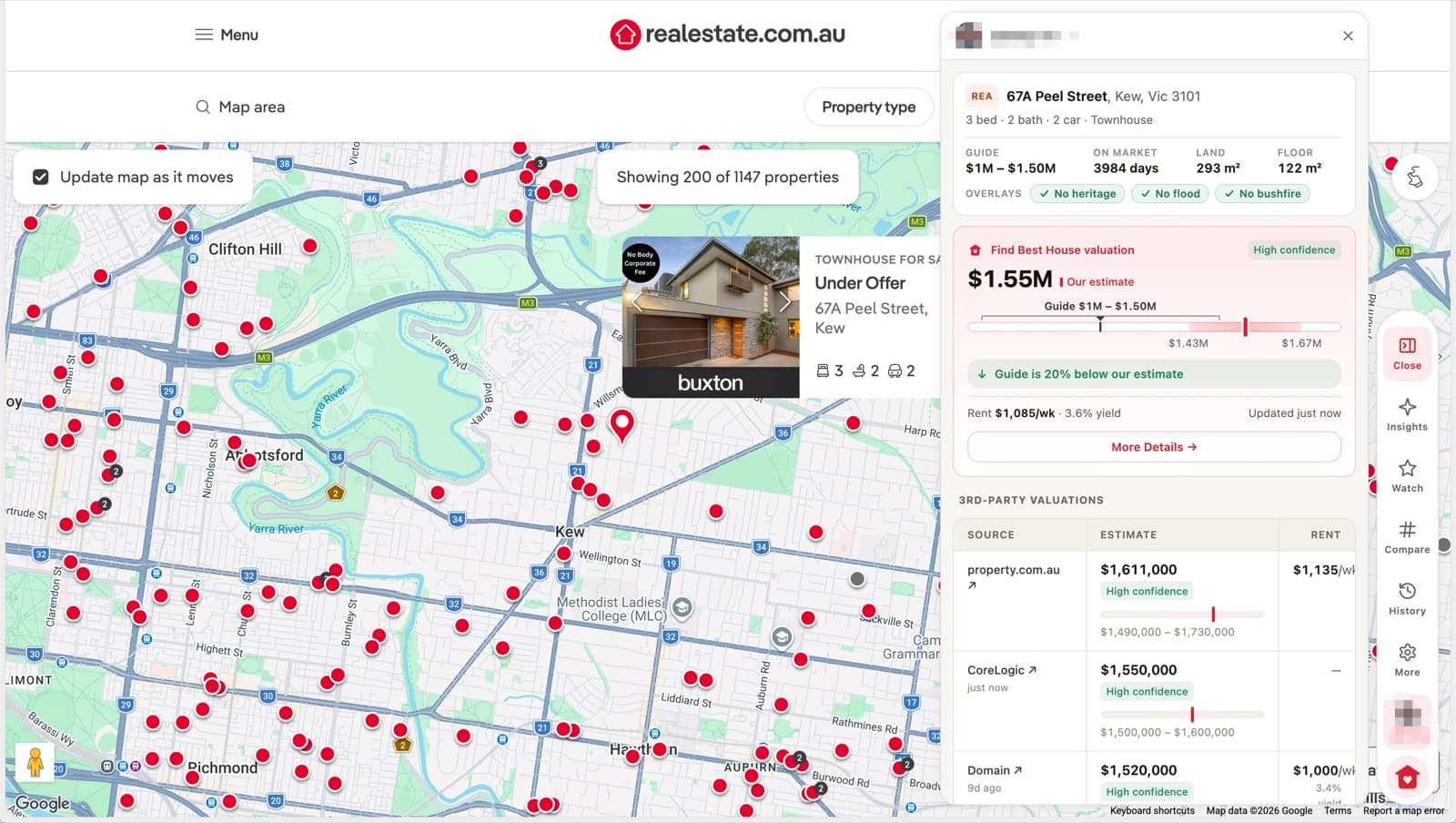
- Works on realestate.com.au & Domain
- What a home is worth
- What it sold for before
- School zones
- Rent it could earn
- Flood, bushfire & heritage checks
What you can check
Research tools, right where you're already browsing
Six focused tools turn scattered property data into a clearer picture before you inspect or make an offer.
Hidden Sold Prices
Surface sale prices that are hard to find or withheld from public listings, so you can benchmark what a home is really worth.
Property Price Insights
See estimated value, full price history and comparable sales in one view to understand how a property is priced.
School Zones
Check which catchments a property falls into and the schools nearby — essential context for families.
Rental Yield
Estimate gross rental yield and weigh the investment case with rent estimates alongside price.
Property Risks
Review available due-diligence signals — including flood, bushfire exposure, planning overlays and public-housing context — before you commit.
AI Property Search
Describe what you want in plain English and let the assistant find matching properties and answer questions.
How it works
From address to decision in three steps
- 1
Add the extension to Chrome
Install Find Best House in a couple of clicks. It's free and works alongside your normal browsing — no new site to learn.
- 2
Browse listings as you normally would
Open any property on realestate.com.au or Domain and Find Best House surfaces the research right on the page — sold prices, valuations, school zones, yield and available risk signals.
- 3
Ask Casey and decide
Line up your options and ask Casey anything about a property, suburb or your finances — then decide with far fewer blind spots.
Buy-low radar
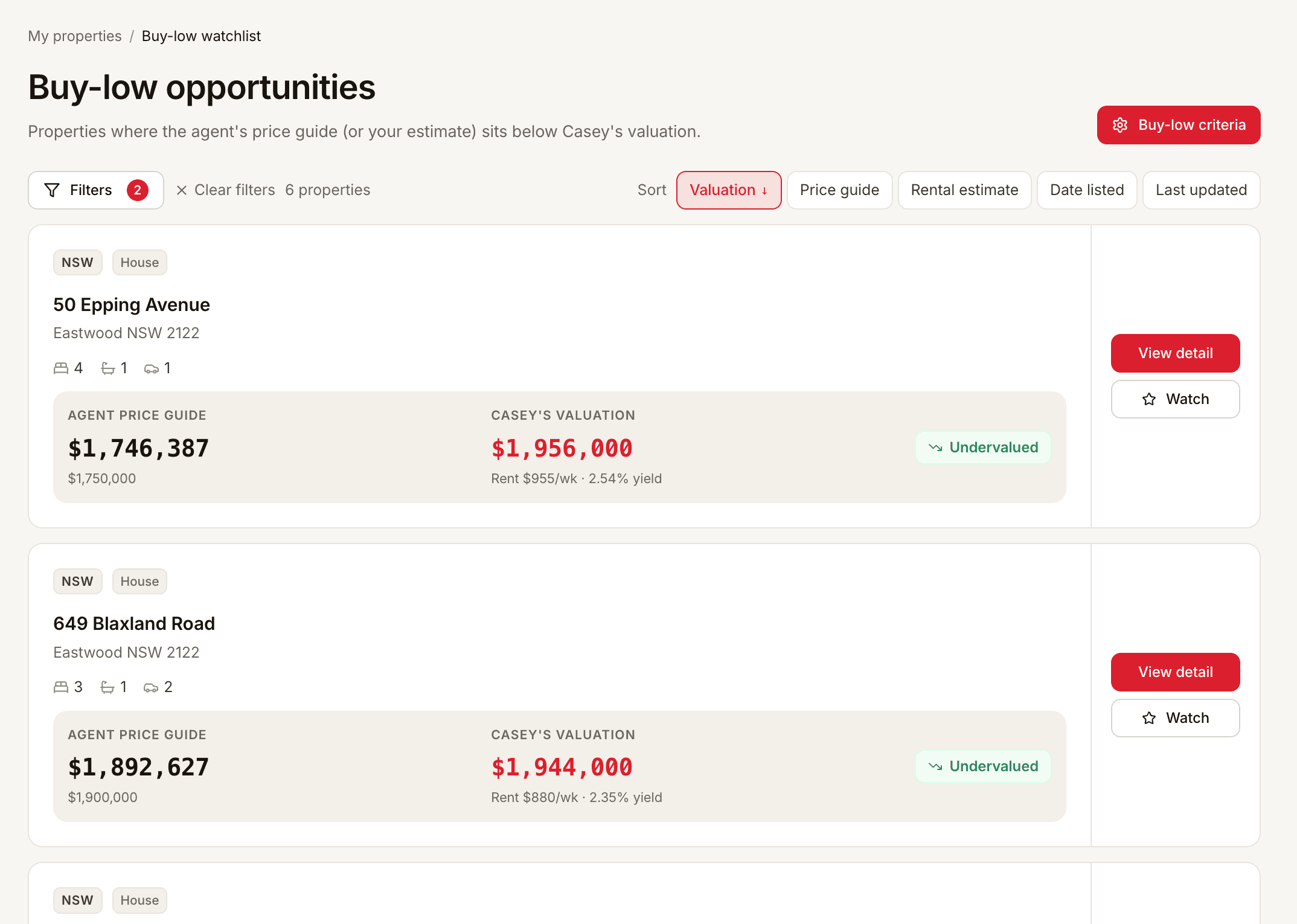
See the homes priced below what they're worth
Find Best House scans the market and lines up listings where Casey's valuation sits above the agent's price guide — so the undervalued ones rise to the top instead of hiding in an endless scroll.
- Casey's valuation next to the agent price guide
- Ranked by how far under estimate each listing is
- Undervalued homes surfaced across the whole market
Your pipeline
Keep research from both sites in one place
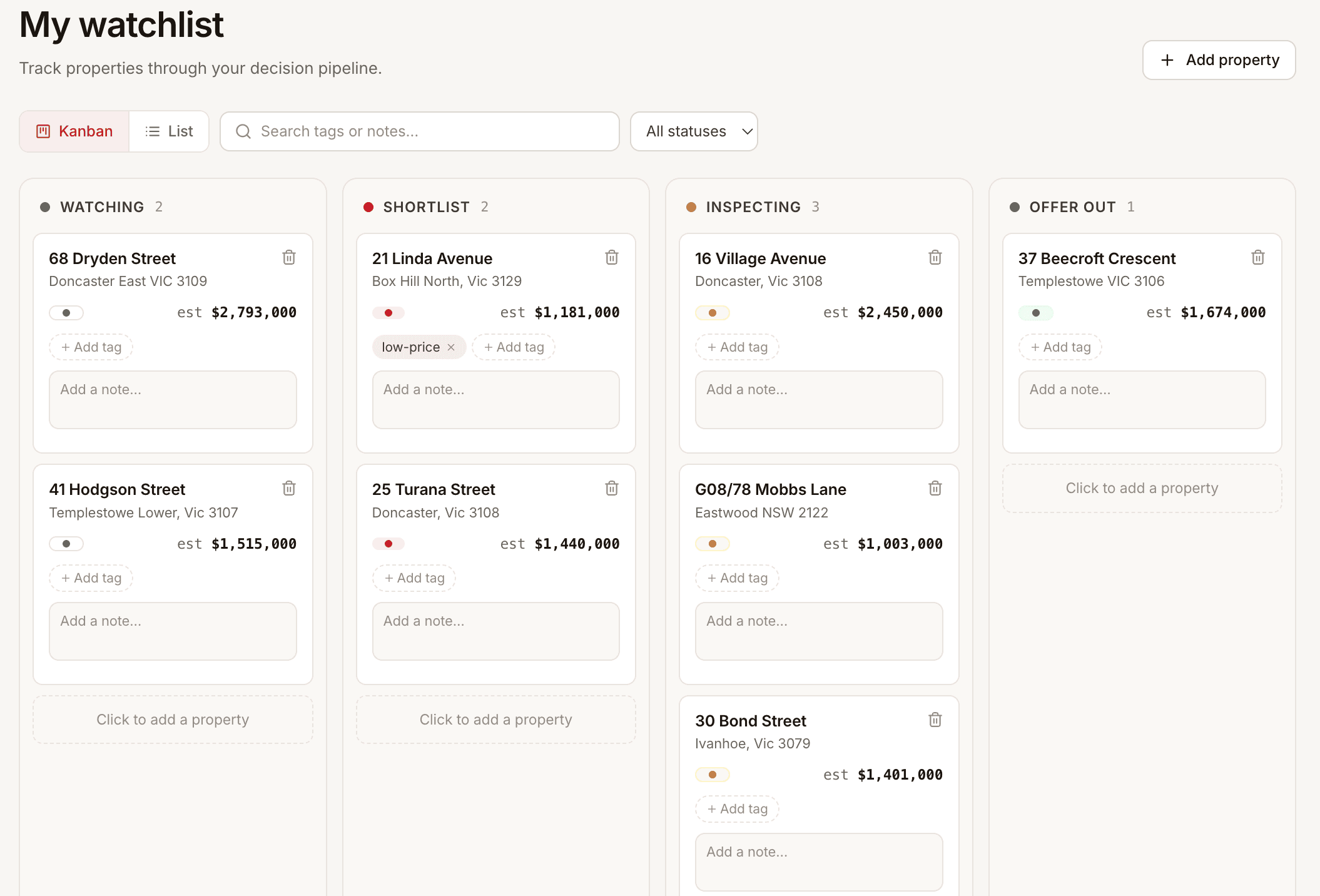
Save homes from realestate.com.au and Domain to one simple board — Watching, Shortlist, Inspecting, Offer out — so you can compare both portals in one research workspace and always know what to do next.
- One research workspace for both property portals
- Drag properties between stages as things move
- Casey's valuation on every card as you go
The data, together
Every signal, right on the listing you're viewing
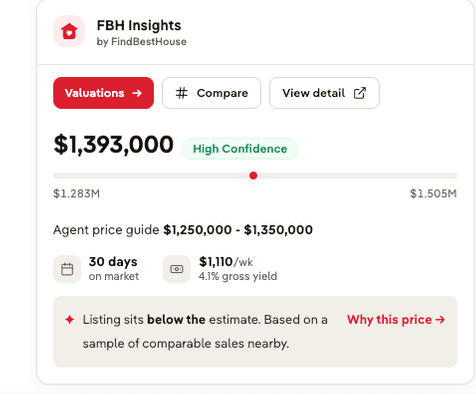
No more juggling a dozen browser tabs. Find Best House shows a property's history, estimated value, rental picture, school catchment and available due-diligence signals on the realestate.com.au and Domain pages you're already reading.
- Price history and estimated value in one place
- School catchments and nearby schools
- Rental yield estimates alongside price
- Available flood, bushfire, planning and public-housing context
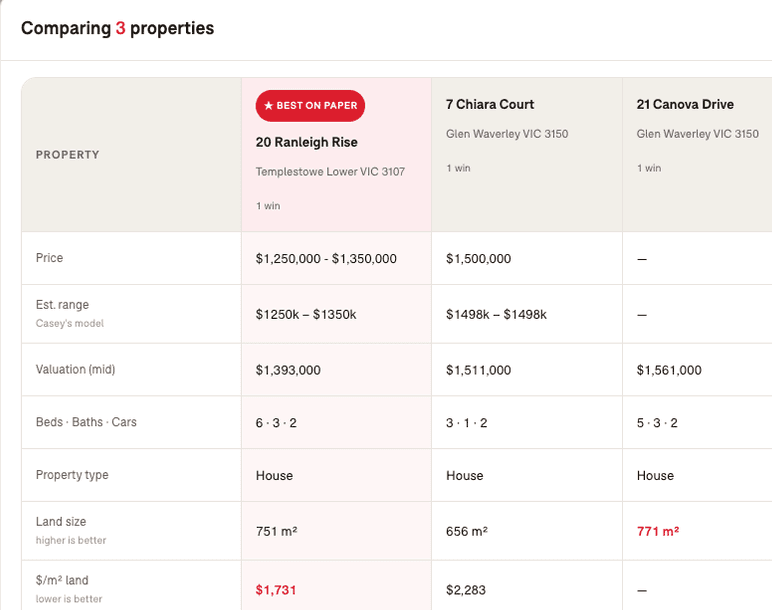
Compare, side by side
Weigh up to four properties on the numbers that matter
Shortlist the homes you're torn between and Find Best House lines them up — price, estimated range, valuation, land size and $/m² — then marks which one looks best on paper.
- Estimated value and range for each property
- Land size and price per square metre
- A clear best-on-paper call-out
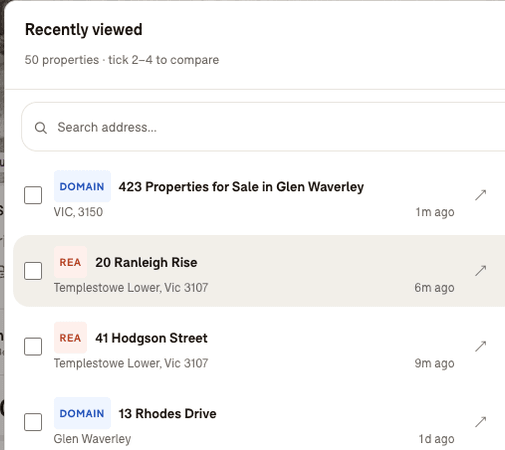
Your shortlist
Every property you've opened, kept in one place
Find Best House quietly remembers every realestate.com.au and Domain listing you view, so you can jump back to anything you've seen and tick the ones worth comparing.
- Recently viewed across realestate.com.au and Domain
- Search back through everything you've opened
- Tick two to four to compare
Who it's for
Built for every kind of property decision
First-home buyers
Understand what a home is really worth before you stretch your budget.
Learn more →Families choosing school zones
Check catchments and nearby schools so a move works for the whole family.
Learn more →Property investors
Weigh rental yield against price to focus on the numbers that matter.
Learn more →Buyers comparing suburbs
See how areas stack up on price and data before you narrow the search.
Learn more →Researching a specific listing
Dig into a single property's history, valuation and risks in minutes.
Learn more →Put property research on every listing before you make an offer
Add Find Best House to Chrome and see sold prices, valuations, school zones, yield and available due-diligence signals the next time you open a listing on realestate.com.au or Domain.